


Tips and Cautions for Laser Engraving Tech Accessories
BY ALLEE BRUCE

According to the 2026 ASI Ad Impressions Study, release by ASI Research, "78% of U.S. consumers would keep a promo item because it’s useful." On top of that, 85% of consumers say they "would have a more favorable impression of the advertiser after receiving a promotional power bank, while 81% say it would be "useful to have."
The usability and longevity of a promotional product matter, especially in a day and age where consumers continue to be more conscious of consumption. Tech products continue to hold value because they hit both these marks. When was the last time you bought a USB drive? You probably can't remember because companies give them out like candy at events and trade shows – and for good reason. They're useful. The same goes for power banks, Bluetooth speakers, and headphones. We live in a digital world, and accessories that serve this lifestyle will continue to see impressions.
Tech accessories hold value, and the decoration method used to personalize those accessories should too. Laser engraving offers an elevated look and feel to take any tech product to the next level. We chatted with Trotec Laser and SnugZ USA to get their thoughts on the topic.
Types of Tech Accessories Suited for Laser Engraving
There's plenty of tech accessories in the promo marketplace, but are all of them compatible with laser engraving?
Corey Kelly, marketing manager at Trotec Laser, says products with anodized aluminum, powder-coated finishes, coated metals, wood, leather, acrylic, or laserable plastics produce the most consistent results.
"Many tech brands intentionally use anodized aluminum housings because they create high-contrast engravings without affecting the structural integrity of the part," Kelly explains.
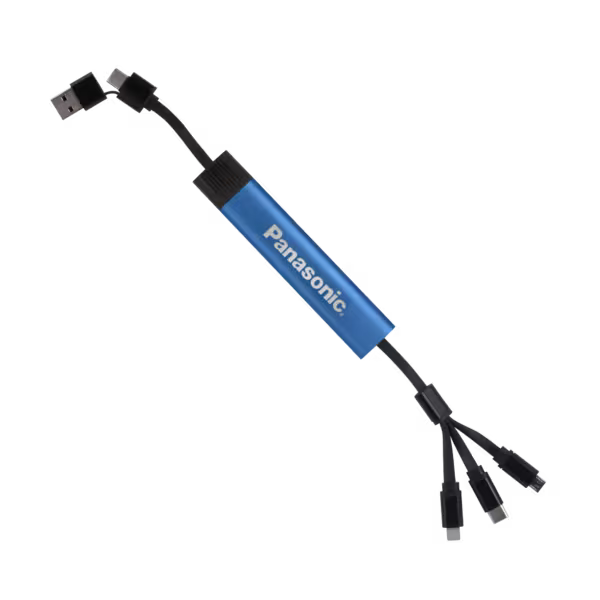
It also depends what kind of laser engraving machine you're running says Justin Gukeisen, chief operations officer, SnugZ USA. For the PRINTING United Alliance Member and Counselor Top 40 Supplier, there's a large demand for chargers that have cords built in, says Brittany David, chief revenue officer — pointing to the importance of functionality.
Additionally, David says wireless speakers and stylus pens are top sellers in the tech category for laser-engraved products.
"Employee appreciation, customer appreciation, and gifting are huge segments these items go into," David says. "The engraving gives the products an even higher perceived value. College recruiting and college welcome gifts were a big market recently for engraved tech items — especially because you don’t have to PMS match the product or the imprint for the logo."

|
|

|

|
Credit: SnugZ USA
What Laser Engraver Works Best for Tech Products?
First and foremost, promotional products decorators and suppliers need to understand the substrates they're working with to make sure the laser machine they have or are considering is compatible with their project.
"CO2, fiber, UV, green lasers are all good types of lasers if they are engraving on the correct substrates," Gukeisen says. 'On the wrong substrate you will end up with subpar results."
Kelly adds that it’s not just about substrate either, and production volume and desired workflow also matter when considering what laser engraving machine is best for a job.
“A CO₂ laser is the most versatile choice for products made from coated metals, wood, leather, acrylic, and plastics, while a fiber laser is better suited for engraving bare metals,” Kelly notes. “Decorators should also consider software capabilities, automation, and repeatability.”
Best Practices and Safety Tips for Engraving Tech Items
When we're talking tech products, there are a number of batteries, boards, and electronic components that need to be considered.
"Before engraving electronic products, decorators should verify the housing material, use the lowest effective laser settings, and avoid engraving directly over batteries or sensitive internal components," Kelly advises. "PVC, vinyl, and unknown plastics should never be laser processed because they can release hazardous fumes, and proper exhaust and filtration are essential for safe operation."
When in doubt: Test. "Sometimes you don’t know exactly what materials have been used to make the product, so make sure you test the product on a couple different types of lasers to see which one gives you the best results," Gukeisen says. "You want to remove material without excess melting."
Kelly agrees, adding that any successful production starts with testing, especially new products. Create a workflow for reusable templates, documenting settings, and maintaining consistent artwork preparation. Mistakes crop up when assuming similar products use the same materials and require the same settings, Kelly notes.
Using excessive laser power and failing to properly align or inspect parts before production are other common pitfalls, according to Kelly.
" Throughout production, perform routine quality checks for placement, contrast, and consistency, and document successful settings to streamline future repeat jobs," Kelly says. "For small or irregularly shaped items, custom fixtures and jigs help improve speed, accuracy, and repeatability. For one-off engravings, a jig can be as simple as using household items like Play-Doh or LEGO bricks to hold a product securely in place, while higher-volume jobs may benefit from custom laser-cut fixtures or registration systems."
Promotional products suppliers and decorators can lean on equipment manufacturers for machine setting assistance, troubleshooting, and even testing before buying equipment. PRINTING United Expo is a great chance to bring samples, stop by booths, and ask questions.
For a look at the laser engraving offerings at Expo, use Map Your Show, navigate to Equipment & Software in the left-hand toolbar, type 'Laser' in the search bar, and the appropriate categories will appear.

